Biso
Your Mac. Your voice. Anywhere.
Biso is a personal voice assistant that drives a real computer. Talk to your Mac from your iPhone, Apple Watch, or AirPods — it listens, does the work on your machine, and speaks the answer back.
You should be able to forget about Biso.
You won’t want to.
Not yet available — personal software, becoming a product. Follow along ↓
Not a chatbot in a tab
Under the hood, a small service on the Mac — the courier — runs a coding-grade agent with your files, your apps, and your screen. Your voice is transcribed by Whisper running locally on that same Mac. The only way in is an encrypted tunnel, and anything sensitive stops and asks you first. It is honest software: what it remembers is readable, what it does is auditable, and what it clicks, you approve.
What it does today
Everything below is real — shipped and screenshotted, not planned.
Speak, anywhere
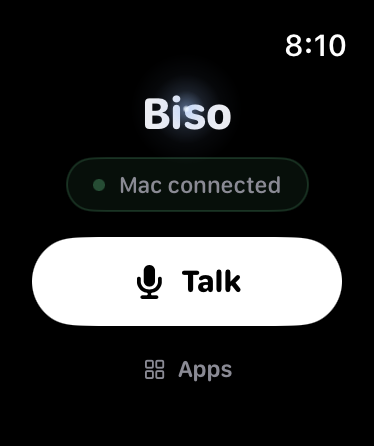
From iPhone, Apple Watch, or AirPods — including the Watch alone on cellular, no phone in sight.
Your own Mac does the work
Voice is transcribed by local Whisper on your Mac, and a real agent there runs the task — files, apps, browser.
Approvals, with screenshots
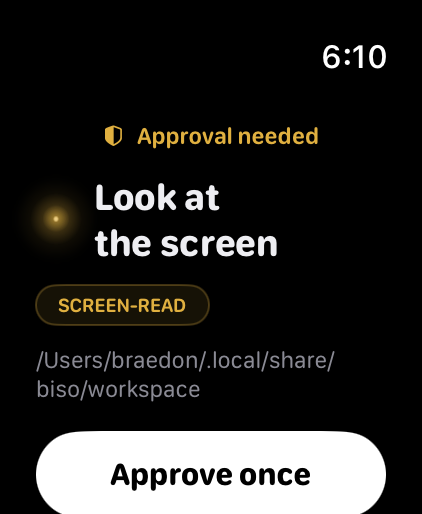
Anything sensitive stops for a card — and visual actions show exactly what is about to be clicked.
“Tell me when…”
Watchers keep checking quietly — the render, the deploy, the inbox — and speak up the moment it happens.
Scheduled tasks
“Every weekday at eight…” — the Mac is always on, and results arrive as a push.
Memory that learns you
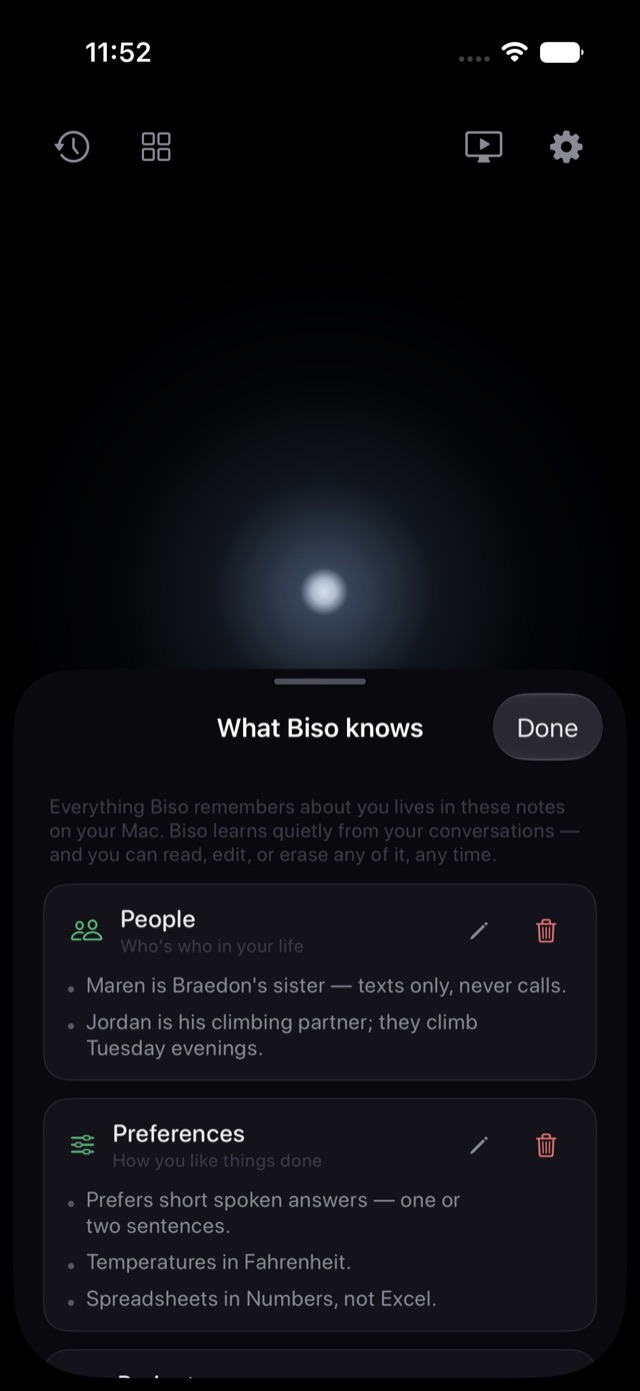
Plain notes on your Mac — who’s who, how you like things done. Read, edit, or erase any line, any time.
Watch it work
A live stream of the desktop with pinch-zoom — and tap the stream to click the Mac yourself.
Only answers you
An opt-in “Biso…” wake word, gated by a voiceprint that never leaves your Mac.
Private input
Passwords travel encrypted from a secure field to the Mac’s keyboard — never spoken, never logged, never in a transcript.
Artifact drawer
Screenshots, files, and documents land in a drawer on your phone — Quick Look, save, or share them on.
Mid-task steering
Keep talking while it works — add detail, change direction, or just say “stop.”
On every surface
Watch complications, Smart Stack, Control Center, Action Button, Double Tap — and an iMessage app for dropping results into chats.
Straight from the simulator

Follow along
Biso is being built in fast, small steps. Every merged change is translated into the log below — automatically, straight from the repository.